Change sunset colour
This Photoshop tutorial will teach you how to change the colour of the sunset. This tutorial is very simple and only requires altering the hue/saturation levels.
For this tutorial I have used a free stock image of a sunset which is available at:www.sxc.hu
Change sunset colour
Step 1
Open an image in Photoshop and then create a new layer by select
Step 2
Create a new hue/saturation layer by selecting layer > New Adjustment Layer>Hue/Saturation. A window should appear, click ok.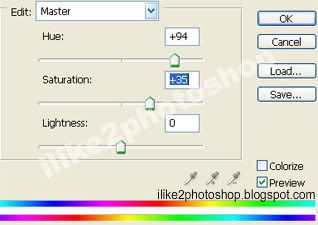
Step 3
Change the hue level to your preference.
You can also change the saturation level if you wish. I used 94 for the hue and 35 for the saturation.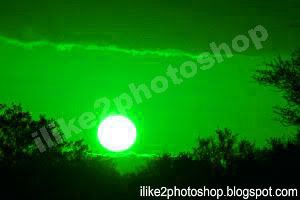
You should now have a nice coloured sunset.


0 comments:
Post a Comment